In short
You create an AI girlfriend on Candy through the “Create Character” item in the sidebar, and it’s a Premium benefit (Candy words it as “Create your own AI Girlfriend(s)”). You choose Girls or Trans, Realistic or Anime, then ethnicity, an age from 18 to 55+, hair, eyes, body type, name, personality, occupation, up to three kinks and a voice. Premium starts at $3.99/mo on the annual plan.
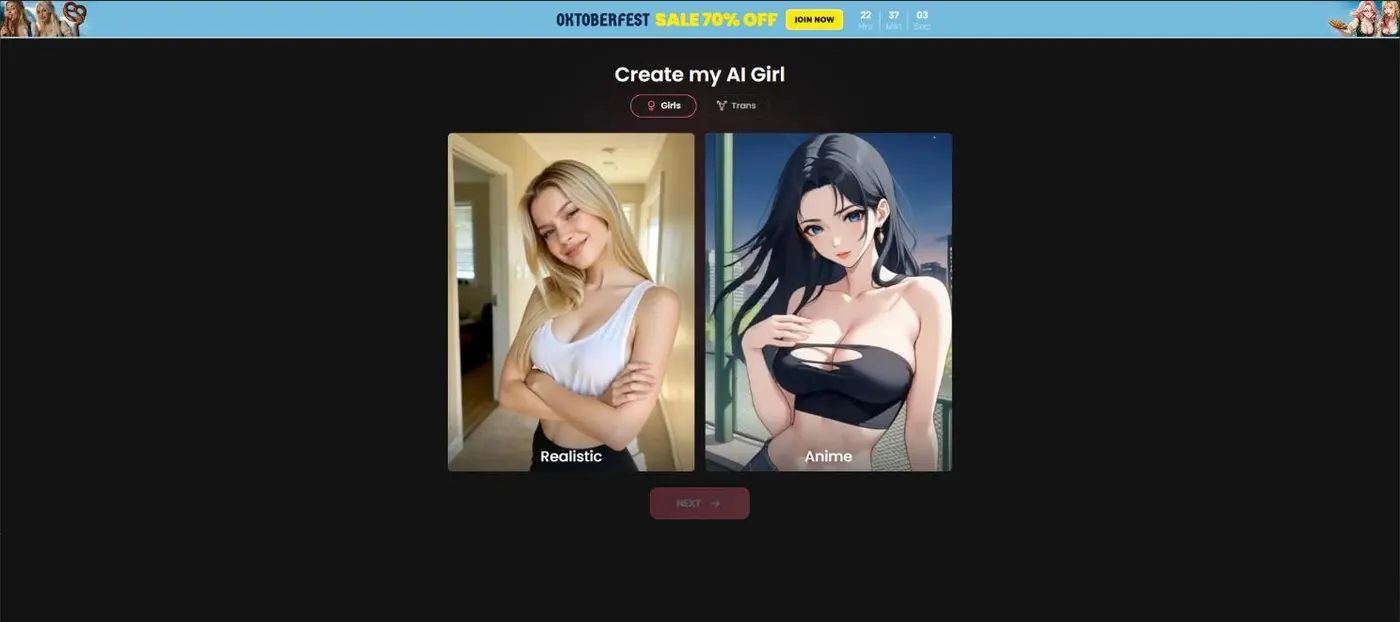
Create AI girlfriend, step 1: Girls or Trans, Realistic or Anime
Building a character is the one Candy feature where I over-prepared. I wrote a backstory. It had a subplot. Nobody asked.
Create Character is a sidebar item on Candy, and it’s the way to create AI girlfriend characters of your own instead of choosing one of Candy’s ready-made ones. The screen is called “Create my AI Girl.” Premium lists “Create your own AI Girlfriend(s)” among its benefits, and the subscription pitch also names an “AI Girlfriend Generator,” which is the same idea under a different label.
The first choice is the style, and there are two switches:
- Girls or Trans. Two tabs at the top of the screen.
- Realistic or Anime. This sets the look of everything that follows, and the color options adapt: realistic hair colors are brunette, blonde, black, redhead and pink, while anime offers more.
Everything after that is a tap or a slider, so the wizard moves quickly. There’s also a separate male creator with a 9-step progress bar, and our AI boyfriend guide covers that side of Candy.
Settle the style first. It colors every other choice, so it’s the one to decide before you touch a slider.
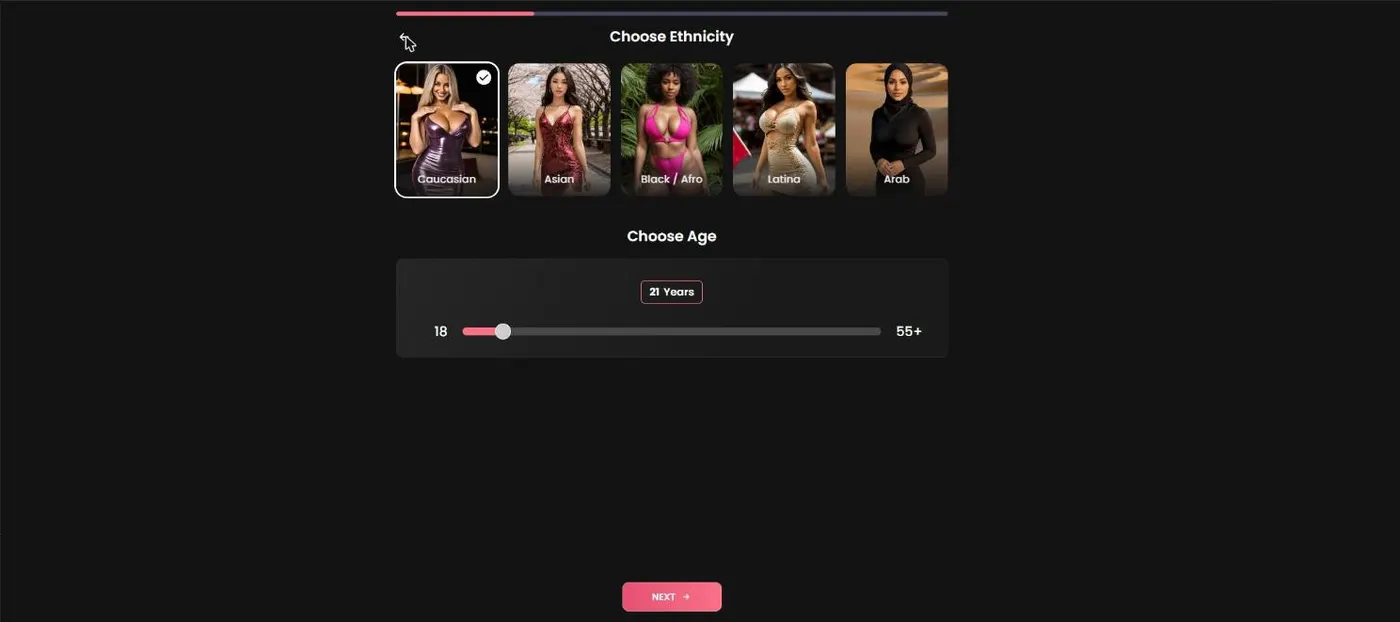
Step 2: ethnicity and age
Two choices define how she reads at first glance, and Candy puts them side by side.
Ethnicity is a pick-one list: Caucasian, Asian, Black/Afro, Latina or Arab.
Age is a slider that runs from 18 up to 55+, and it opens on 21. That floor is Candy’s rule and this site’s rule too: every character you create must be an adult, and Candy’s content rules apply, including its Blocked Content Policy.
These two also match the first filters on the browse page, ethnicity options and an 18–21 age band, which makes them a handy way to see how Candy’s own characters look before you design yours. Our AI girlfriend chat guide walks through those filters.
If you’re stuck, copy a pattern. Candy’s ready-made profiles list the same fields every time: Age, Body, Ethnicity, Language, Relationship, Occupation, Hobbies and Personality. Decide those eight first and the wizard becomes a matter of tapping.
Step 3: hair and eyes
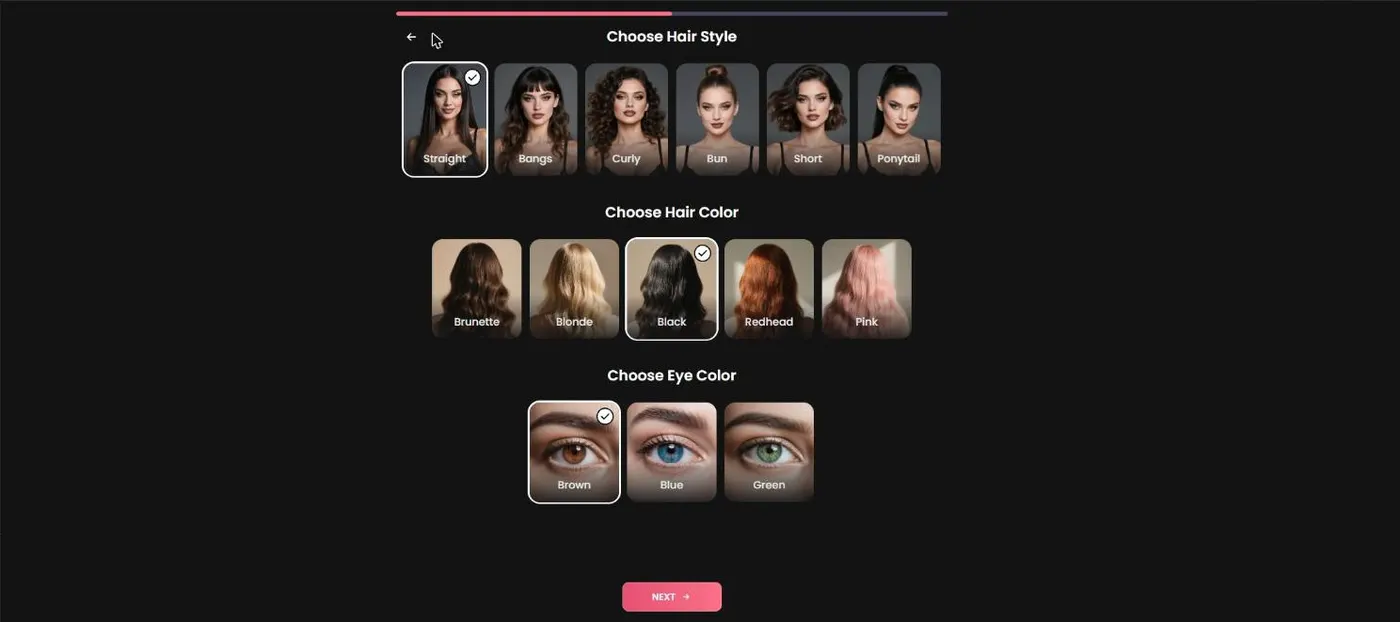
Hair gets two sets of options, and eyes get one.
- Hair style: Straight, Bangs, Curly, Bun, Short or Ponytail.
- Hair color: Brunette, Blonde, Black, Redhead or Pink on the realistic side, with more colors on the anime side.
- Eye color: brown, blue or green on the realistic side (anime adds brighter options).
Hair is the most visible choice you’ll make, and it’s the easiest to compare against Candy’s own characters: the browse page filters on blonde, brunette and redhead, so you can see how the ready-made profiles wear the same colors before you commit.
Two small habits help. Choose the style first and the color second, because a ponytail and a bun read very differently in the same shade. And pick eyes that go with the hair unless contrast is the point. I once spent a full evening on this step and ended up back at the first option I’d tried.
These are looks only, so treat this as the cheap part of the wizard. The part that decides whether you keep talking to her is next.
Step 4: body type, personality, kinks and voice
The last screens move from looks to character.
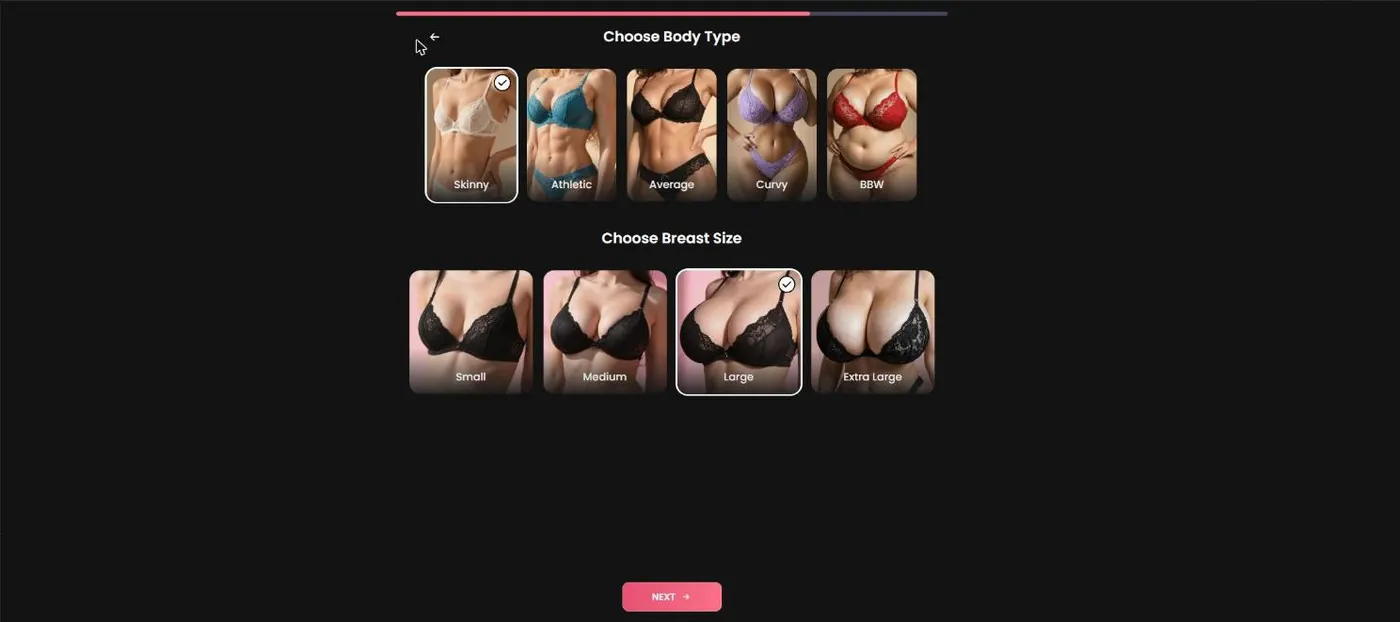
Body type comes first: Skinny, Athletic, Average, Curvy or BBW, followed by a breast-size pick of Small, Medium, Large or Extra Large. Then Candy asks who she is:
- Name. Candy suggests a random one, and you can change it.
- Personality, relationship and occupation. Who she is, how she relates to you and what she does all day.
- Kinks. Up to three; I’ll leave the menu to Candy’s own screen.
- Voice. The final pick.
Whether your voice choice carries over to voice notes and AI Phone Calls is one of the things we haven’t verified, so test it before you build around it. Calls run 3 tokens a minute; see our AI phone calls guide.
A few habits from my own over-prepared characters:
- Give her friction. Agreeable characters get dull quickly, and opinions are free.
- Pick three personality traits and stop. Eight traits cancel each other out.
- Choose a relationship to you. Single, roommate, boss: the setup shapes the conversation.
- Give her a job. Occupation is free conversation fuel.
- Write the opening situation first, then work backward, and change one thing at a time.
Create your own or pick a ready-made character?
Not everyone needs to build from scratch. The two routes suit different people.
| Ready-made character | Create Character | |
|---|---|---|
| Cost to start | Free account | Premium (a listed benefit) |
| Backstory | Written by Candy, often tied to a Shorts series | Yours |
| Best for | Trying chat quickly | Getting the exact personality you want |
If you haven’t tried Candy yet, start with a ready-made character. It’s faster, it’s free, and you’ll learn what you like before you design around it. Our AI girlfriend chat guide walks through the browse page and the filters.
If you’ve watched some Shorts, even better: the leads of series are chat profiles, so you can meet a character you already know. Our character index lists who stars where.
Anime is a switch inside the creator, and Candy’s ready-made AI boyfriend and AI anime tabs cover those categories if you’d rather browse. Build your own once you know which traits you keep wishing for. I did it the other way round, and my first custom character was an accidental greatest-hits compilation of everything I’d complained about.
Candy Shorts that end with “create your own”
Candy uses Shorts as a funnel, and Create Character is one of the exits.
Most series end by handing you to a chat with the lead character. Four Spicy series end with a prompt to create your own character instead: Tori’s broken vows, My Girlfriend’s Stepsister, Bella, my step-daughter and Good Boy For Stepmom. They’re the Spicy titles without a lead character, so there’s nobody to hand you to, and Candy hands you the creator instead. It’s a neat piece of design: you finish the story, and Candy asks whether you’d like to write the next one yourself.
The cost is worth knowing first. Nothing in a Spicy series is free: episodes 1 and 2 cost 0 tokens but are included with Premium, and every locked episode is 30 tokens. Tori’s broken vows runs 10 episodes, so 240 tokens to finish. The other three run 5 episodes each, so 90 tokens apiece. Every character in all four is a fictional adult, whatever the title says.
Anyone who reaches that ending is already on Premium, so the prompt arrives when Create Character is usable. The Spicy tag page names all 9 Spicy titles, and the series catalog shows the rest. If a series ends in a chat instead, you’ll meet the lead.
What Create Character costs
Create Character is a Premium benefit, so the real cost is the subscription. I could see the options above from a free account, but Candy’s Premium list, and its Upgrade to Unlock prompts, name creating your own AI girls as a Premium perk.
| Plan (US) | Per month | Billed |
|---|---|---|
| 12 months | $3.99 | $47.88 |
| 3 months | $8.99 | $26.97 |
| 1 month | $13.99 | $13.99 |
Premium also includes unlimited text messages, 18+ image and video generation and 100 tokens a month. Plans renew automatically, Candy says you can cancel any time, and charges show up as “EverAI” on your statement.
Two honest gaps. We didn’t verify an extra token fee for creating a character, and we didn’t verify which extras, like calls or Scene Videos, work with a character you build. Check both after you create one rather than assuming.
Candy runs seasonal sale banners from time to time, but the 70% off the annual plan is applied automatically, no code needed. Our Candy AI pricing page has the full numbers. If you end up loving a custom character, the annual plan is the cheapest way to keep her around. Start free; if you’re going to finish more than one series a month, the annual plan at $3.99/mo is the cheapest way in.
What’s good
- ✓ Included in Premium, from $3.99/mo on the annual plan
- ✓ You decide the personality instead of compromising on a ready-made one
- ✓ A full option list: Realistic or Anime, ethnicity, age 18–55+, hair, eyes, body, voice
- ✓ Four Spicy Shorts series end with a prompt to create your own character
What to know
- • Needs Premium, not just a free account
- • We didn’t log every option, such as the full eye-color list
- • We didn’t verify which extras, like calls or Scene Videos, work with custom characters
- • Premium renews automatically unless you cancel